The single biggest decision in a pixel art project is its size. Make it too small and the image turns into an unrecognisable blob; make it too large and you’ll still be gathering blocks a month from now. Because the block count grows with the square of the size, the difference between a fun weekend build and an abandoned one is often just a few dozen blocks of width.
Block count grows with the square
Each pixel is one block. A square image of side n needs n × n blocks, so doubling the side quadruples the materials and the building time.
| Size | Blocks | Stacks of 64 | Shulker boxes | Typical use |
|---|---|---|---|---|
| 16 × 16 | 256 | 4 | 0.1 | Icons, emoji |
| 32 × 32 | 1,024 | 16 | 0.6 | Sprites, simple logos |
| 64 × 64 | 4,096 | 64 | 2.4 | Faces, pets, game art |
| 128 × 128 | 16,384 | 256 | 9.5 | Detailed art, 1 map |
| 256 × 256 | 65,536 | 1,024 | 37.9 | 2 × 2 maps, murals |
A shulker box holds 27 stacks, or 1,728 blocks. So a 64 × 64 wall fits in about two and a half shulker boxes, while a 256 × 256 wall needs almost forty.
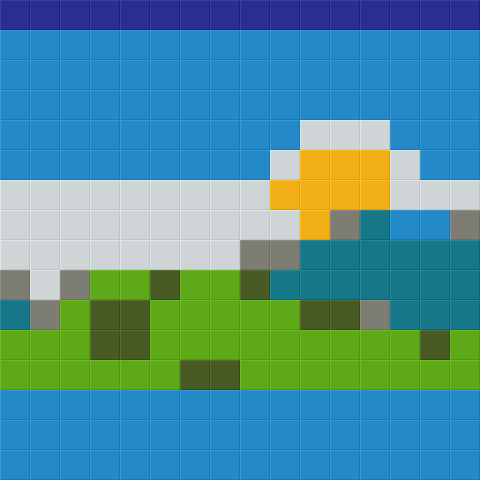 16 wide
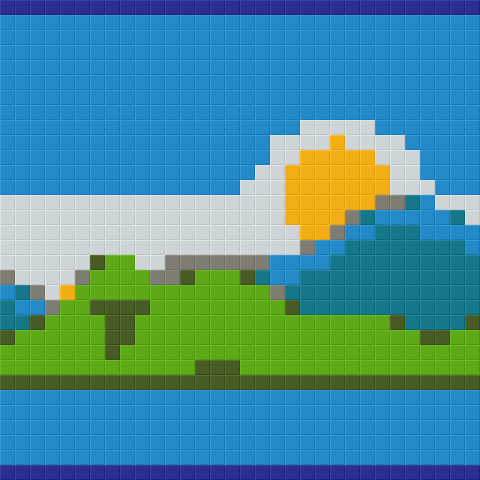 32 wide
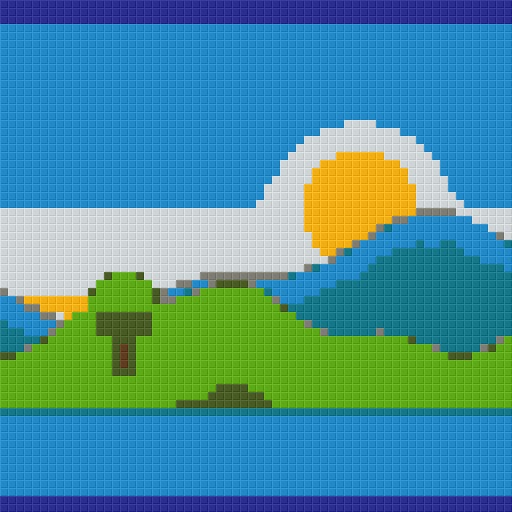 64 wide
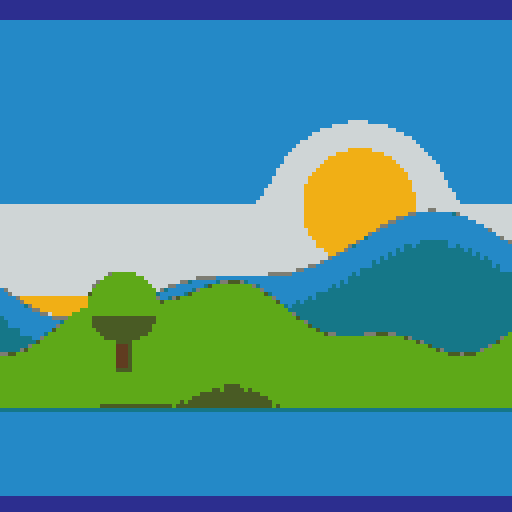 128 wide
How much detail does your image need?
Pixel-art sprites are already small. A 16 × 16 item icon converts perfectly at 16 × 16 — making it bigger only makes each pixel a 2 × 2 or 3 × 3 square of blocks, which costs more without adding detail. If you want a sprite to be bigger, scale it by whole numbers so the pixels stay square.
Photos and illustrations are the opposite: they have far more detail than you can build, so the question is how much you need to keep. As a rule of thumb, a face becomes recognisable at around 48 blocks wide, looks good at 64–96, and starts to show expression and texture above 128. Landscapes need less, because they’re mostly large shapes; text and logos need enough width for every letter stroke to be at least one block thick.
Viewing distance
Minecraft’s render distance limits how far away a viewer can stand. A wall of 128 blocks is 8 chunks wide; at a render distance of 8 chunks a player has to be fairly close to see it whole, and from that close the blocks are big and individual. Medium-sized art (48–96 blocks) is often more effective in a base, because it can be seen in full from a comfortable distance.
Height limits for walls
Since the Caves & Cliffs update, the Overworld build height runs from Y −64 to Y 319, a total of 384 blocks. A vertical wall can therefore be up to 384 blocks tall if you start at the very bottom, but realistically you’ll start around sea level (Y 63), leaving about 256 blocks. If your art is tall, consider building it as a floor viewed from above, or as map art.
Map art sizes
Map art is measured in maps. At zoom level 0, one map is exactly 128 × 128 blocks, and walls of maps in item frames combine into bigger pictures:
- 1 × 1 map — 128 × 128 = 16,384 blocks, plus a 128-block noobline. A good first map.
- 2 × 1 maps — 256 × 128 for wide images like banners and screenshots.
- 2 × 2 maps — 256 × 256, 65,536 blocks. Detailed portraits and scenes.
- 3 × 3 and up — server-scale projects, usually built map by map over weeks.
The generator crops your image to fit the map grid exactly, so nothing is stretched. Use the map buttons rather than a custom size for map art; partial maps leave unused borders.
Aspect ratio
Keep the aspect ratio locked unless you want to squash the picture. With the lock on, changing the width updates the height automatically. If a portrait image produces a wall that’s too tall, crop it in an image editor first rather than unlocking the ratio.
Time to build
Experienced builders place somewhere between 1,000 and 3,000 blocks per hour in survival with scaffolding, depending on how often the color changes. Rows with long runs of one color are fast; dithered rows that change color every block are slow. A 64 × 64 wall of flat colors may take an hour or two; a dithered 128 × 128 map can take an evening even in creative mode.
Recommendations
- First survival build: 32 × 32 to 64 × 64, wool or concrete, no dithering.
- Portrait in a base: 64 × 64 to 96 × 96, terracotta + concrete.
- Map art: 1 map flat, then 2 × 2 once you’re comfortable.
- Sprites: the sprite’s own resolution, or a whole-number multiple.
The 64 × 64, 128 × 128 map and 2 × 2 map pages show exact counts for each size and open the generator preset to that size.