SVG halftone generator
Convert a photo into a true vector halftone: every dot, line or square is an SVG shape you can scale, recolor and cut in Illustrator, Inkscape, Cricut or a laser.
Tone: contrast, dot gain, min / max dot
SVG halftone halftones: what to know
Most online halftone tools only export raster images. This generator writes the dots themselves as vector paths, so the SVG stays perfectly sharp at any size — a sticker, a T-shirt or a wall mural. Each layer is one compound path inside a rotated group, which keeps files small and makes recoloring a single click in Illustrator, Inkscape, Affinity or Figma.
Vector halftones get heavy quickly: a 1200 px image with a 4 px cell contains around 90,000 dots. For cutting machines and laser engravers start with a cell of 12–20 px and a minimum dot of 10–15% so you do not create thousands of microscopic shapes. The status line under the buttons shows how many marks the file will contain.
CMYK mode exports four groups — cyan, magenta, yellow and black — each at its own screen angle and set to multiply, so the SVG previews like an overprinted press sheet and you can still separate or recolor each plate.
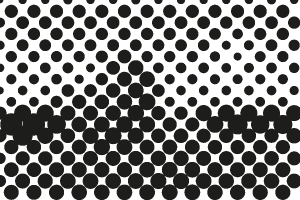 Dot
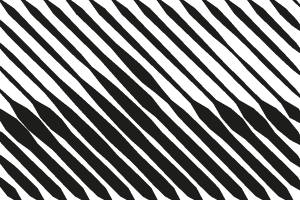 Line
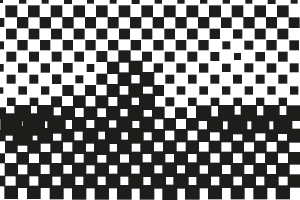 Diamond
Recommended settings
- Cell 12–20 px for Cricut, vinyl and laser cutting
- Minimum dot 10–15% removes tiny shapes
- Line shape gives far fewer, longer paths
- Turn on Transparent to omit the background rectangle
How to make a halftone
- Add an image. Click Upload image, drag a file onto the preview or paste with Ctrl/⌘+V. Photos, logos and gradients all work; transparent PNGs keep their transparency.
- Choose shape and size. Pick dot, line, square, diamond or cross, then set the cell size (dot spacing) and screen angle — or switch to CMYK for four color separations.
- Tune the tones. Open Tone to adjust contrast, dot gain and the minimum and maximum printable dot for screen printing, DTF or engraving.
- Download. Choose the output width and click Download PNG, or SVG for vector dots. Tick Transparent background to export only the ink.
FAQ
How do I make a halftone for svg halftone?
Most online halftone tools only export raster images. This generator writes the dots themselves as vector paths, so the SVG stays perfectly sharp at any size — a sticker, a T-shirt or a wall mural. Each layer is one compound path inside a rotated group, which keeps files small and makes recoloring a single click in Illustrator, Inkscape, Affinity or Figma.
Can I export a vector SVG halftone?
Yes. Click SVG to download every dot, line, square, diamond or cross as a vector path. Each ink is a single compound path in a rotated group, so it opens cleanly in Illustrator, Inkscape, Affinity Designer, Figma, Cricut Design Space and LightBurn.
What cell size should I use?
Cell size is the distance between dots in pixels. At 300 DPI output, cell size = 300 ÷ LPI: 6–7 px is about 45–50 LPI (screen printing on 230 mesh), 10 px is 30 LPI, and 16 px and up gives a bold pop-art look.
What are the standard CMYK halftone angles?
Cyan 15°, magenta 75°, yellow 0° and black 45°. The three strong inks are 30° apart, which produces a small rosette instead of a visible moiré; yellow is placed on the remaining angle because its moiré is the least noticeable.