Line halftone generator
Create a line halftone: parallel lines that swell and thin with the image, like a banknote engraving. Any angle and line spacing, with PNG and SVG export.
Tone: contrast, dot gain, min / max dot
About the line halftone screen
A line screen replaces dots with parallel lines whose thickness follows the image — thick in the shadows, hairline in the highlights. It is the look of banknote engravings, vintage posters and modern line-art portraits.
 0 → 100%
Lines taper smoothly between cells and to a point where the image becomes white, so each run is one closed vector path — ideal for plotters, laser cutters and vinyl.
Try 0° or 90° for a bold graphic look, 45° for an engraving feel; increase the cell size to space the lines further apart.
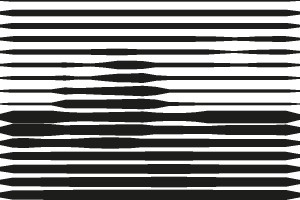 0°
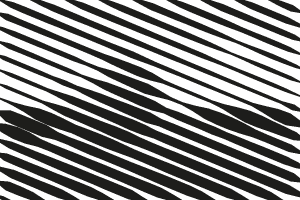 22.5°
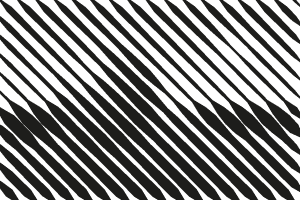 45°
Compare the other shapes: halftone dots, square halftone, diamond halftone, cross halftone. New to halftones? Start with what is a halftone.
How to make a halftone
- Add an image. Click Upload image, drag a file onto the preview or paste with Ctrl/⌘+V. Photos, logos and gradients all work; transparent PNGs keep their transparency.
- Choose shape and size. Pick dot, line, square, diamond or cross, then set the cell size (dot spacing) and screen angle — or switch to CMYK for four color separations.
- Tune the tones. Open Tone to adjust contrast, dot gain and the minimum and maximum printable dot for screen printing, DTF or engraving.
- Download. Choose the output width and click Download PNG, or SVG for vector dots. Tick Transparent background to export only the ink.
FAQ
How do I make a line halftone effect?
Upload an image, the shape is already set to line. Adjust cell size and angle, then download a PNG or SVG.
Can I export line halftone as SVG?
Yes. Every line is exported as a vector path you can scale, recolor or cut.
What cell size should I use?
Cell size is the distance between dots in pixels. At 300 DPI output, cell size = 300 ÷ LPI: 6–7 px is about 45–50 LPI (screen printing on 230 mesh), 10 px is 30 LPI, and 16 px and up gives a bold pop-art look.